EN
EN  DE
DE ES
ES FR
FR PT-BR
PT-BR

AI Summary
- Documentation tax is the time teams spend finding, verifying, and updating scattered knowledge-base content after product changes, including outdated articles, FAQs, and onboarding pages.
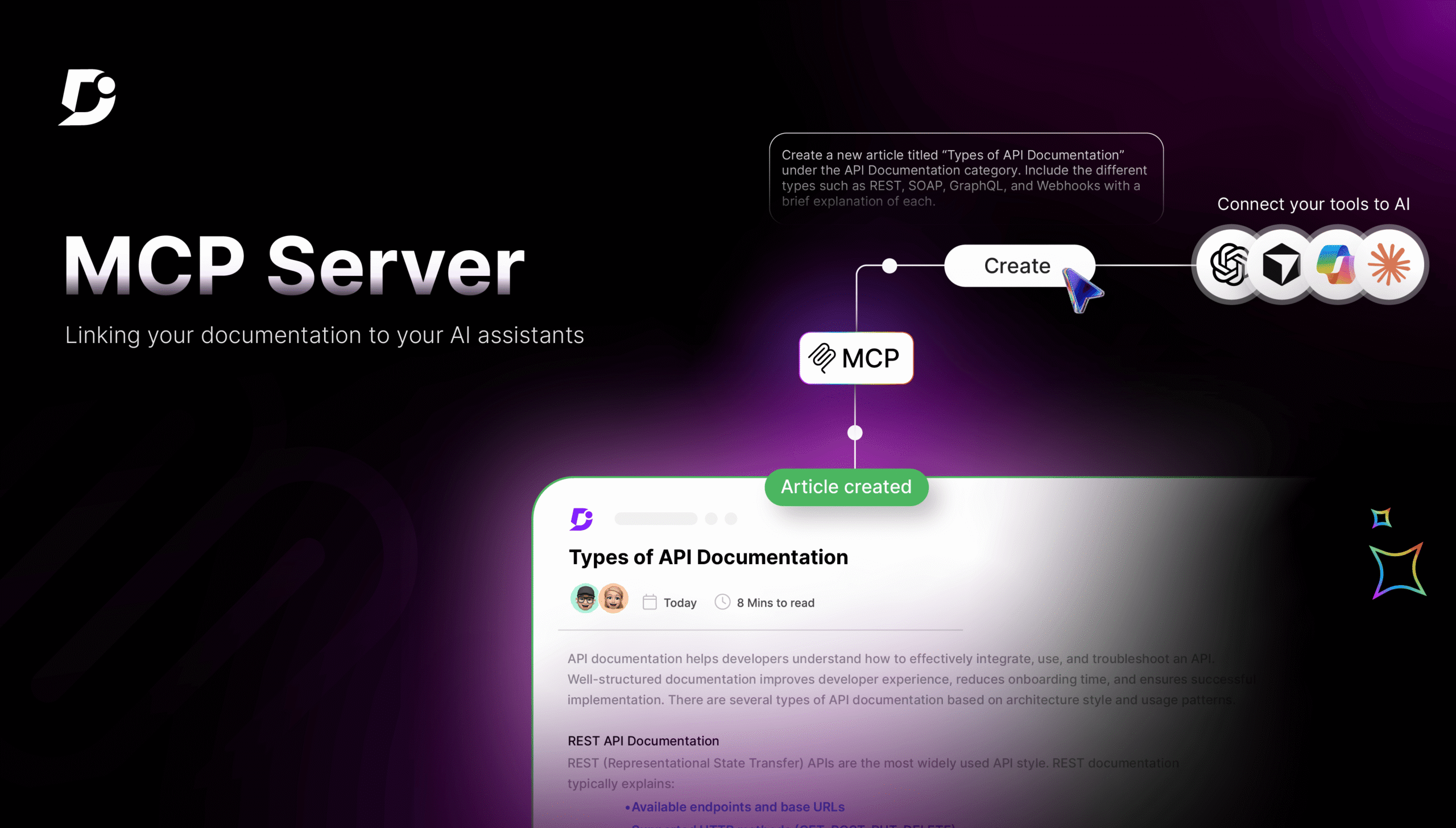
- Model Context Protocol (MCP) is an open standard allowing AI assistants such as Cursor, ChatGPT, Claude, and Copilot to communicate directly with systems. Document360’s MCP support lets AI see knowledge-base categories, versions, content, and article structure in real time.
- Connected through an MCP server, AI can identify affected articles, detect matching or conflicting information, draft and upload content, and distinguish missing, outdated, and current documentation. Before exposure, users should check their documentation’s agent score.
- MCP supports writers, developers, support agents, and PMs by reducing copying, searching, tab-switching, duplicate work, and launch uncertainty while preserving human review and decisions about content, tone, context, and audience.
- Document360 supports MCP, enabling knowledge bases to connect with users’ AI assistants.
AI-generated content. It may contain errors.
See Document360 in action
Every technical writer knows what documentation tax is, even though it’s a cost that every team has but rarely talks about. You see a notification from the product team while you’re having fun on Friday. It says that a feature has been updated. It’s not a big deal; it’s just a change to the name of a setting and a change to the workflow, maybe one step less than a four-step process.
You let out a quiet sigh, already knowing what the next three hours will be like. You don’t have trouble with writing or thinking; you have trouble with looking.
You look up the feature name in the knowledge base. Like a cherry on top of your fun Friday, fifty-two articles show up.
But the results of the search keep coming. You are now looking over the process instructions that an employee made eighteen months ago. There are also hidden FAQs and an onboarding page that talks about an old user interface as if it were new.
You deal with each of these problems one at a time, but you can’t shake the feeling that you might have missed something. You save the last article, telling yourself that you probably got everything. But in these situations, certainty is hard to find. Any team that takes care of a knowledge base will have to deal with this documentation tax.
The AI That Couldn’t See What You Saw
The AI helps you in answering anything and everything that is asked for. It rewrites messy lines, understands you even when the grammar is off, and always comes up with fresh ideas when your thoughts stray.
However, there was always a ceiling. Before you could ask for what you wished, you had to perform pre-rituals to gather complete information. You had to copy and paste the whole article you intended to alter, add pertinent documents for context, describe how your knowledge base is structured to the AI, which cannot have the full preview, and summarize the existing content to prevent receiving different results.
In a way, you were the pigeon in between your documentation and your AI, delivering contexts back and forth because they both were not in sync with each other. The AI wrote well, but it was blind to the world through your eyes.
MCP: The Bridge Your Documentation Was Missing
Model Context Protocol, or MCP, might sound too technical, but its purpose is rather simple. For example, do you remember when each phone needed its own charger before USB-C became the norm? You probably had a drawer full of wires that didn’t work with each other. Then, a standard came out, and all of a sudden, there was only one.
This is MCP. Because of this open standard, AI assistants such as Cursor, ChatGPT, Claude, and Copilot can communicate directly with other systems. This means that each connection doesn’t need its own integration, which is good for any kind of platform.
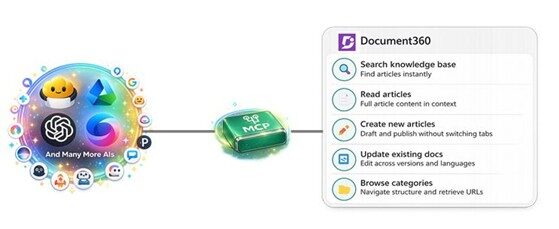
Your AI assistant can now understand your knowledge base just like you do, thanks to Document360’s support for MCP. It can see your categories, versions, content, and article structure in real time.
Why MCP Servers Are Transforming Documentation
Here’s the thing. Documentation was never really the hard part. The hard part was everything that came before it. Finding out what already exists. Figuring out what’s changed. Jumping between five different tools just to gather enough context to write a rough draft.
That’s where MCP changes the equation.
Once your knowledge base is connected to your AI assistant through an MCP server, you’re not starting with a search anymore. You’re starting with understanding. The AI already knows your structure, your categories, what’s been written, and what hasn’t. No more opening ten tabs to confirm if something exists. No more copying chunks of content back and forth just to give the AI enough context to help you. The system already has what it needs.
That’s what makes MCP different from every other “AI for docs” promise you’ve heard before. You stop working on your documentation and start working with it. Your AI isn’t just responding to prompts; it knows your content.
All that time you used to spend navigating, verifying, and cross-checking? It quietly disappears. What’s left is the work that needed you in the first place, deciding what to say, how to say it, and who you’re saying it to.
MCP doesn’t change what documentation is. It just gets rid of everything that was slowing it down.
Before you expose a knowledge base over MCP, check your documentation’s agent score so the server returns content an agent can work with.
Connect your knowledge base with AI using MCP and eliminate documentation chaos. Try Document360 today!
BOOK A DEMO
What Happens When The AI Can See What You See?
Let’s go back to that fun Friday moment when you were staring at the notification of a feature update and the dreadful task you were about to do.
MCP became the savior.
You start prompting your favorite AI assistant, tell it that a certain feature has changed, and then maybe explain the new workflow. The AI then searches your entire knowledge base for articles that talk about the previous version. It then gives you a short, well-organized list of everything that is affected. You look over the list. The AI can give you basic updates. You deal with the harder topics that need a review of the article’s tone and context. Before, this probably took half a day. Now, with MCP, it only takes about minutes.
For the Writer Who Dreads Duplicate Work
You are about to start your writing process by creating an article about a feature that has already been covered in the documentation. Previously, writers needed to handle multiple browser windows while they tried to view previous content before they could create original work. This avoided duplicate content from existing articles. Now, after connecting to the MCP, all they have to ask their AI assistant is, “What information do we already have on this topic?” The AI will analyze your knowledge base to generate summary reports that identify both matching and conflicting information. You can create content that demonstrates a full understanding of the complete situation through this approach. After you’re done, you may upload the article straight to Document360 and put it in the appropriate section. The process removes all requirements for copying, pasting, and searching through old documents, while doubting whether they were previously documented.
For the Developer Who Just Wants to Stay in Flow
To be honest, most developers don’t hate documentation. They don’t like the inconvenience, the continual task switching, the need to switch from thinking in code to thinking in literary terms while using separate applications, and the lack of connectivity between the two.
A developer using Copilot can stay in their present environment as long as MCP is connected. They can explain the endpoint they just constructed, including its inputs, outputs, possible problems, and authentication procedures. After that, Copilot will look for prior research on relevant subjects, create a draft of the new article, and submit it to Document360. Instead of being a tiresome end-of-sprint activity, documentation becomes an integrated part of the development process.
For the Support Agent Tired of Tab-Switching
When a consumer is unsure about a setup process, they submit a ticket. The previous method required the agent to use a browser, navigate to the knowledge base, look for the article, locate it, and then copy and paste the URL. If the search didn’t provide results immediately, it would take more than ten minutes.
The agent may now just inquire, “Do we have anything about this?” since MCP has connected its AI assistant to Document360. After checking, the AI will either immediately provide the precise article with a direct link or clearly inform them that the answer is not yet available.
The second case is now helpful. Because the agent can currently view the missing data in real time before fifty more people ask the same question. They describe the issue, the AI drafts an article, the agent reviews it, and it is then published. Instead of running into a dead end, the next client who encounters the same problem will find a solution.
Customers’ inquiries are the reason your knowledge base gets better, not because someone set out on a Friday afternoon to review the entire material.
For the PM Who Sends That Pre-Launch Panic Message
You might be aware of the message. “Are the docs ready for the launch?”
This usually results in some stress. In a hurry, the technical writer compares the release notes with previously published publications. A spreadsheet is made by someone. Even after hours, there is still no assurance that nothing will be overlooked.
Here’s how that talk can go more smoothly. The PM hands their AI helper the release notes. When Document360 is connected by MCP, the AI evaluates every new feature, every behavioral change, and every item that is no longer supported with the existing knowledge base to offer three results: What is entirely absent from the documentation? What exists but describes information that is out of date. What is already up to date?
A prioritized list of tasks is given to the technical writer. When asked if everything is ready, the PM receives a clear response. This stop speculating the night before the launch.
Check Out How to Connect any AI Tool to Knowledge base Using Document360 MCP
Documentation Was Never The Overhead
You know, folks are trained to write documentation; it’s not the hard part. Determining what users need to know, in what order, and with what level of detail is the true skill that takes a long time to master.
The job isn’t all about finding, connecting things, copying and pasting, and constantly feeling like you’ve missed something. The tools we’ve had simply weren’t a good fit for each other, and unnecessary baggage accumulated.
Documentation itself is not eliminated by MCP. It won’t make the choices you make or the way you write. It eliminates all the extraneous clutter that wasn’t supposed to be there in the first place.
That entire process where you serve as a go-between for your information and your AI? It was merely an inconvenient additional step. Your AI assistant may now access all the information it requires, and you can return to the sections that require your special input.
Document360 now supports MCP. Your knowledge base is now ready to be linked up with your favorite AI assistants.