 EN
EN 
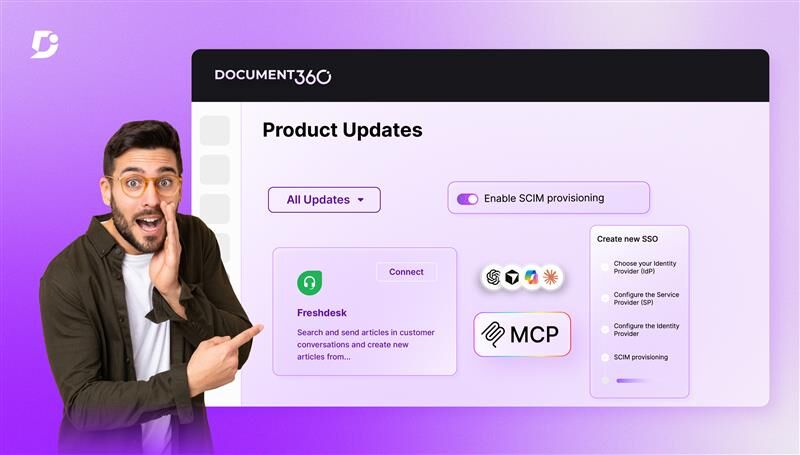

There’s a particular kind of frustration that quietly builds as teams grow. Not the loud, urgent kind, but the slow, grinding kind. The kind you feel when onboarding a new team member means manually adding them to a dozen tools one by one. When article ownership gets tracked in a separate spreadsheet because your documentation platform has no place for it. Where your AI assistant knows everything except the one thing you need, your own documentation. Where a support agent switches between four tabs just to draft a reply, they could have written in one. When a reader stares at a three-hundred-row table and wonders if there’s a smarter way to navigate it.
The March release of Document360 was designed with all of those moments in mind. Whether you’re dealing with access management across a large team, trying to connect your AI tools to your knowledge base, or simply making it easier for readers to find what they’re looking for, v12.3.1 brings something that genuinely shifts the experience.
Custom Fields: Build Your Knowledge Base Around Your Workflow
Every knowledge base grows. And when it does, the default fields are no longer enough.
At some point, you need more than what the system offers out of the box. You want to tag articles by product version, assign ownership to specific contributors, mark content by release status, or attach metadata that’s unique to how your team operates. But standard fields don’t stretch that far, so teams start improvising into spreadsheets, naming conventions, and workarounds that made sense early on but quietly become a burden as the knowledge base scales.
Custom fields change that.
Document360 now lets you define your own fields from scratch. Text inputs, dropdowns, date selectors, booleans, numbers, configured to fit your actual workflow rather than a generic template. Once created, these fields show up across articles, categories, decision trees, and API documentation. Contributors can fill them in, and admins decide what’s editable and what stays locked.
But here’s where it gets particularly useful. If you manage API documentation, you already know how much context lives outside the article itself. Authentication methods, endpoint version, deprecation status, rate limits, and more information that’s critical but has never had a clean home to live inside a standard article format. Custom fields give that data a structured, consistent place to live, and since it’s retrievable via API, your external tooling can use it.
This is just the first phase, with more functionality on the way. But even now, it closes a gap that teams have been quietly working around for a long time.

Automate your knowledge base, streamline workflows, and connect AI effortlessly with Document360
Book A Demo
And then there’s MCP and SCIM.
Two other major updates shipped this month, and they’re significant enough that brief bullet points wouldn’t do them justice. We’ve written dedicated posts on both.
MCP connects your Document360 knowledge base directly to AI assistants like Claude, ChatGPT, Copilot, and others. Instead of copy-pasting content or acting as a go-between, your AI can now search your documentation, read articles, and even create or update content inside Document360 on its own.
If you haven’t read it yet, you can find the full post here: How MCP Transforms AI Documentation Workflows
SCIM takes the pain out of user management. New hire joins? Provisioned automatically. Someone leaves? Access revoked instantly, everywhere. No manual steps, no orphaned accounts, no loose ends, no cleanup queue piling up at the start of the week.

You can catch the full post here if you haven’t already: SCIM Explained: Automate User Provisioning & Identity Management
The rest of what shipped
A few more updates worth highlighting:
- The Freshdesk integration got a meaningful upgrade. Support agents can now generate AI-drafted replies directly within Freshdesk, pulled from your knowledge base content. They also get article suggestions relevant to the ticket they’re handling and can insert links without switching tabs. Multilingual support is built in.

- Tables on the knowledge base site are now interactive. Readers can sort and filter columns directly on the page instead of scrolling through hundreds of rows to find one entry. It handles large datasets well, loads quickly, and doesn’t change anything about how you author content.
- Project export and import received a full redesign. The category selection interface now reflects parent-child relationships clearly, supports partial selections, and includes search. Anyone who’s worked through a complex export before will notice the improvement right away.
- And a few smaller but useful additions: article titles now support up to 300 characters, Eddy AI now displays citations showing exactly which source articles it drew from, Cantonese has been added as a new supported language, and the Customer API now runs independently of the portal, so readers aren’t affected during maintenance windows
March, in short
Custom fields gave teams a real structure to work with. MCP and SCIM earned their own spotlight. And the rest of what shipped made the day-to-day work feel lighter. That’s what a good release looks like.
Document360 v12.3.1 is live now. Log in to explore or check the portal to get started.


