EN
EN  PT-BR
PT-BR FR
FR ES
ES DE
DE


AI Summary
- Article templates let project members create articles from system or saved templates, create custom templates from scratch, or save existing articles as templates, supporting consistent design and reducing authoring time.
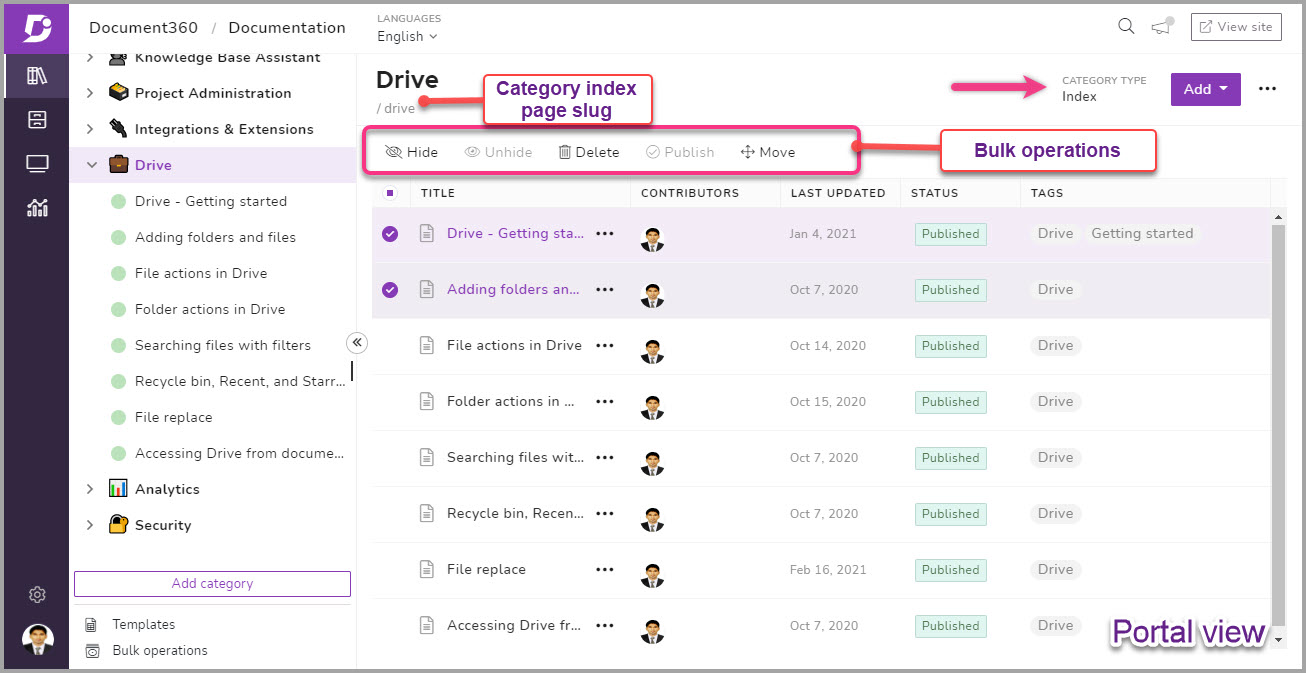
- Category types now include Folder, Index, and Page. Folder organizes articles and subcategories; Index provides article listings with preview excerpts; Page supports a stand-alone article about a category’s core subject or focus.
- The new Salesforce extension enables support agents to look up or share articles and create knowledge-base articles directly from Salesforce.
- Document360 added four integrations: Belco (chat), Gorgias (chat), FullStory (analytics), and Sunshine Conversations (chat).
- The product updates are part of a 2021 goal to release one major update each month, with releases available through Headway.
AI-generated content. It may contain errors.
See Document360 in action
1. Article templates
Document360 article templates are pre-designed articles that you or any other team member from the project can make use of while creating articles for your Knowledge base. The template could be for a simple user guide, FAQ, Release notes, or pretty much anything you can create as a custom article template. Regardless of the purpose, article templates provide design consistency and style for your brand. Here are three cool things you can do with our new article template feature 1. Create a new article/page from our system or saved templates 2. Create a new custom article/page template from scratch 3. Save an article/page as a template for later use This feature would greatly help authors and contributors in your knowledge base platform to maintain a style standard and considerable reduce time while working with new articles.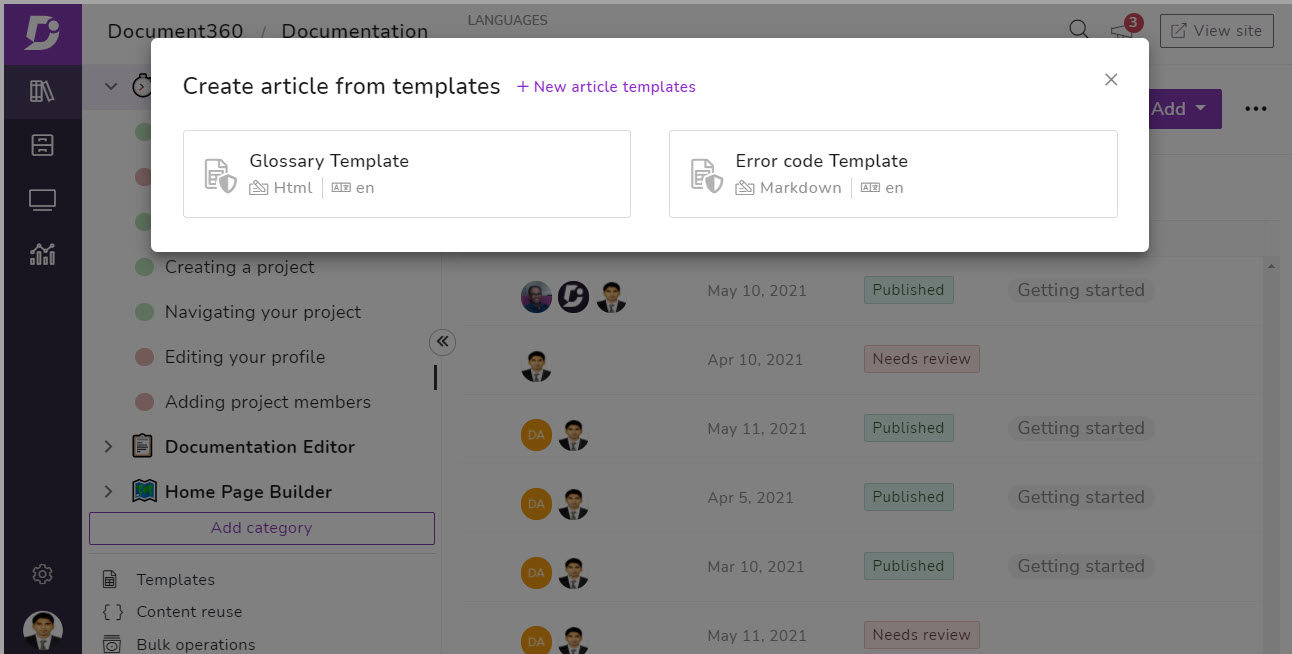
Article template in action
At Document360 we provide frequent release with new features and improvements. This means we have to keep our customers informed and educated about the new features. So, we maintain a category in our knowledge base called “Release notes”. As this is a regular series, we have a set of standard style guide and article structure we follow. Before this release the draft writers/editors/admins had to write the release note from scratch keeping in mind the consistency. But after the article template, we have easily created a custom template for our upcoming release notes with the design and formatting consistency. For example: The introduction text with Paragraph tag, heading tags (H2, H3, H4), different sections separated by horizontal lines, tables, and hyperlinks.2. Category types
Earlier a category was just a folder for the articles, but now you can choose to do more with categories. We have introduced two new category types along with the basic folder type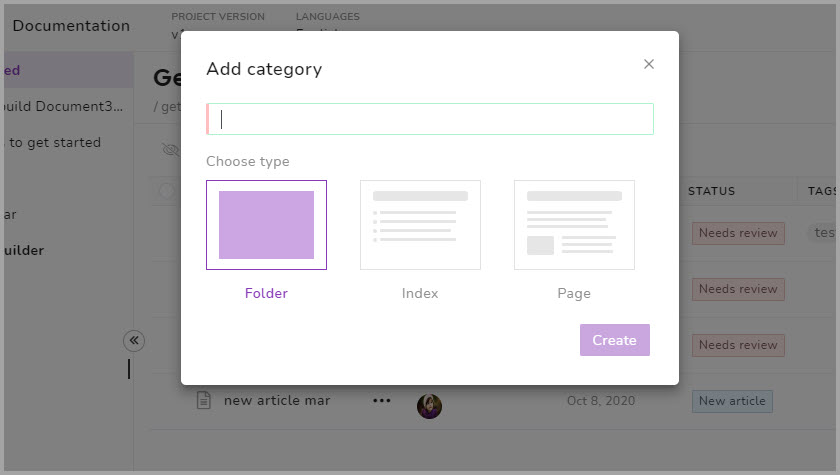 a) Folder: This is the basic category type which acts just as a simple bucket folder for articles and sub-categories. This would make it easier for team members in the project to organize each article based on their purpose under different category and subcategory folders.
This also makes it easy for the reader to navigate through your knowledge base and find the required article.
a) Folder: This is the basic category type which acts just as a simple bucket folder for articles and sub-categories. This would make it easier for team members in the project to organize each article based on their purpose under different category and subcategory folders.
This also makes it easy for the reader to navigate through your knowledge base and find the required article.
An intuitive knowledge base software to easily add your content and integrate it with any application. Give Document360 a try!
Book a demo
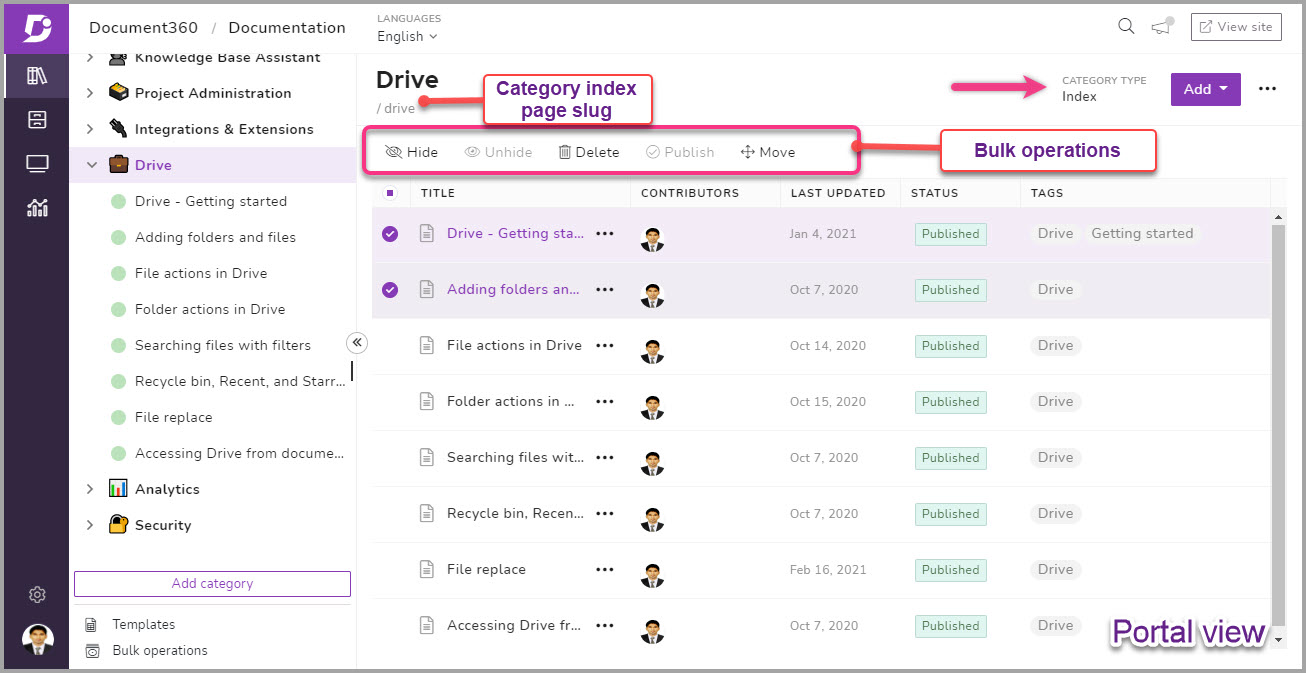 c) Page: This type of category is similar to the articles you create under the categories in your project. This is well suited for main categories that require a stand-alone article about the core subject or a preface about the category’s major focus.
3. Salesforce extension
Here’s another powerful Document360 integration with the Salesforce platform. What this integration achieves is, it enhances and equips your support agents with a powerful knowledge base while serving customers. You can look-up or share articles easily and create articles for your knowledge base right from Salesforce.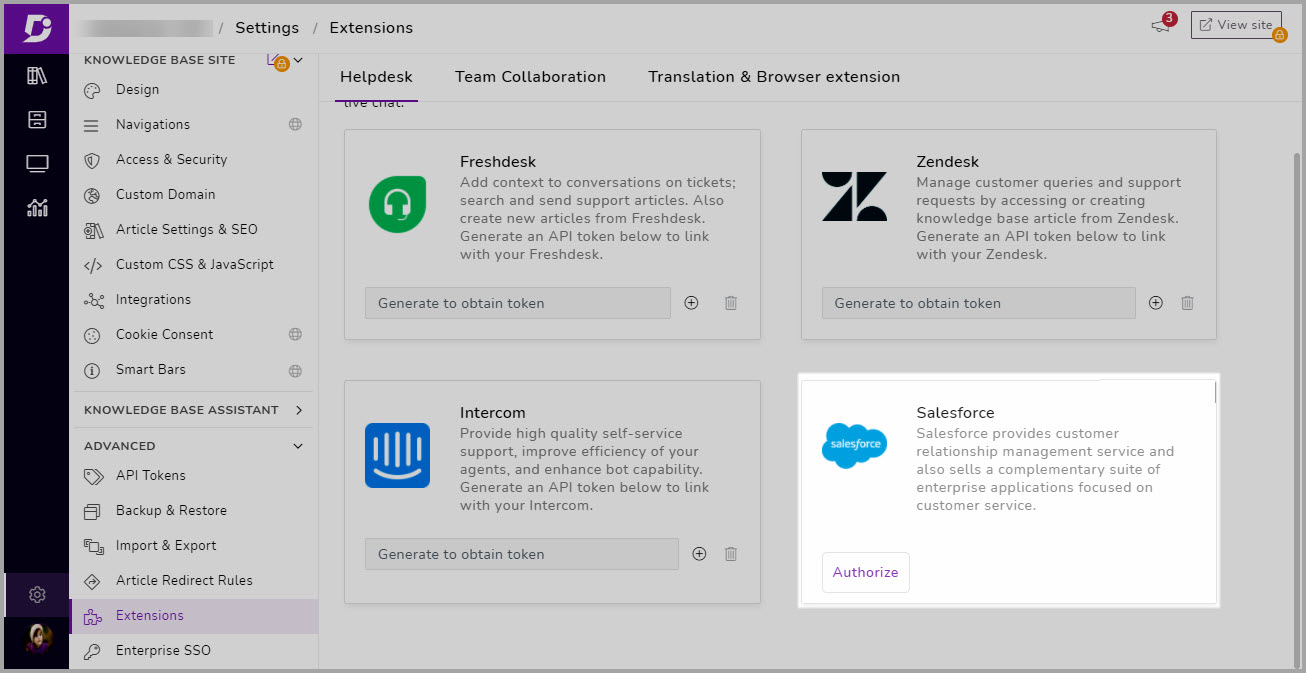 The multiple use cases with Document360 integration in Salesforce makes it a value proposition for brands and people who engage with Salesforce environment.
4. New Integrations
We have introduced 4 new integrations to the Document360 platform. These integrations can help improve your Document360 platform and create the possibility of using advanced tools inside the knowledge base environment seamlessly.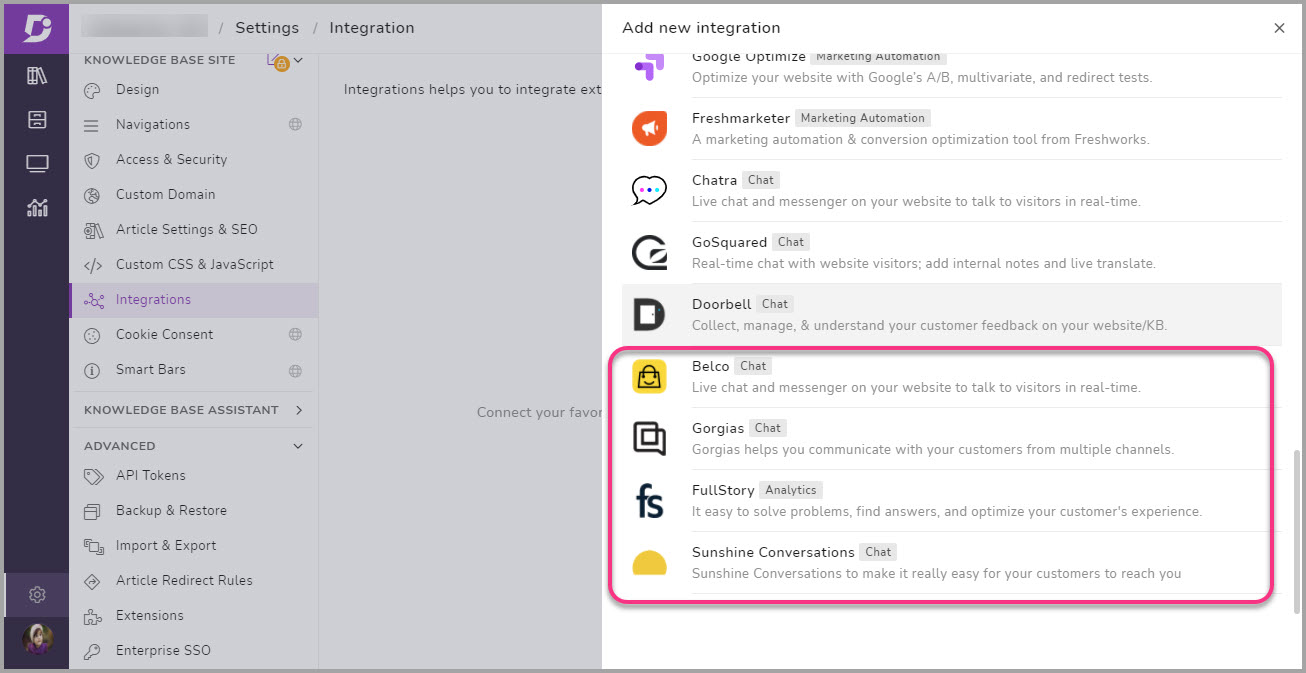
| Integration | Type | About the platform/app |
| Belco | Chat | Live chat and messenger on your website to talk to visitors in real-time. |
| Gorgios | Chat | Gorgias helps you communicate with your customers from multiple channels. |
| Full Story | Analytics | Makes it easy to solve problems, find answers, and optimize your customer’s experience. |
| Sunshine Conversations | Chat | Enables businesses to communicate with their customers across every popular messaging app. |
Your Turn
We keep our ears open to our customers for feedback, improvements, and feature requests. Some of the feature updates you see with V7.8 release are much awaited ones requested by multiple users. With Document360 we’ve been striving to solve the real-world problems and gaps that companies face with product documentation. This 2021, our goal is to roll out one major release every month with a load of existing features, enhancements, and improvements. You can always stay up-to-date with our releases by following our Headway.
An intuitive knowledge base software to easily add your content and integrate it with any application. Give Document360 a try!
Book a demo